In 2026, Zapier is the fastest way for a non-technical team to connect a few SaaS tools; Make gives you more complex visual scenarios for less money; and n8n wins on self-hosting, custom code, and price at volume — one execution is one billing unit, however many steps it contains.
We use these tools for client work rather than write about them from the sidelines — our production stack runs workflows on n8n and Make, extended with custom code where the standard modules end. Below is the comparison we walk clients through before any build: exact plan prices, the billing math that actually decides it, and a straight answer on when each tool wins. If you already know you need n8n built properly, that is what our n8n development services squad does; for the wider picture, start at business process automation.
What each tool costs in 2026
This is a snapshot, not scripture: the figures below were read directly from n8n.io/pricing, make.com/en/pricing, and zapier.com/pricing in July 2026, and all three vendors reshuffle tiers often — check the current pages before you commit. The structure of the comparison changes far more slowly than the numbers.
| Zapier | Make | n8n | |
|---|---|---|---|
| Billing unit | Per task — every successful action step consumes one task (triggers and some built-in tools don't count as tasks) | Per credit — standard module actions consume one credit each; AI and premium actions can consume more | Per execution — one workflow run is one execution, with unlimited steps inside it |
| Free tier | 100 tasks/month, two-step Zaps only, 15-minute polling | 1,000 credits/month, 15-minute minimum interval, no time limit | Community Edition: self-hosted, no execution limits (plus a cloud trial) |
| Entry paid plan | Professional from $19.99/month (billed annually; $29.99 monthly) for 750 tasks | Core from $9/month (billed annually) for 10,000 credits | Cloud Starter €20/month (billed annually) for 2,500 executions |
| Scaling up | Professional tiers run from 750 to 2,000,000 tasks (up to $3,389/month annual); Team from $69/month | Credit bundles per tier; Pro $16/month, Teams $29/month, Enterprise custom | Pro €50/month for 10,000 executions; Business €667/month for 40,000; Enterprise custom |
| Self-hosting | No | No | Yes — Community Edition on your own server, or paid self-hosted plans with support |
| Custom code | Code steps (JavaScript/Python snippets) inside Zapier’s runtime | No general code step — formulas, functions, and custom apps via its developer platform | Full Code node (JavaScript/Python), custom nodes, any npm library when self-hosted |
| AI features | AI steps, Copilot, and agents — easiest to switch on, least control over what runs underneath | AI modules for the major model providers, plus agent features | Native AI agent and LangChain-based nodes; bring your own model and keys, including self-hosted models |
| Speed & limits | Polling: 15 min free, 2 min Professional, 1 min Team | Minimum interval: 15 min free, 1 min on paid plans | Cloud: 5 concurrent executions on Starter, 20 on Pro; self-hosted: your hardware decides |
Two footnotes the table does not capture. n8n’s prices are in euros, and every cloud tier includes unlimited users — which matters the moment more than one person touches automation. And the free Community Edition is fair-code, not classic open source: free to self-host for your own business without limits, restricted only if you resell n8n itself as a service.
The billing unit is the real comparison
Most published comparisons line up features and skip the only number that grows with you. Zapier counts every action step. Make counts every module operation. n8n counts one execution per run — a 3-step workflow and a 40-step workflow cost exactly the same. At small volume this is trivia; at scale it is the whole decision.
Run the math on one realistic workflow: ten steps — a trigger plus nine actions — executed 10,000 times a month. That is a busy lead-routing flow, not an edge case. On Zapier it consumes roughly 90,000 tasks a month, deep into the upper Professional tiers. On Make it consumes about 100,000 credits assuming standard one-credit modules (AI and premium actions consume more) — ten times the entry allowance. On n8n it is 10,000 executions: exactly the Pro plan at €50/month, or effectively free on a self-hosted Community Edition where the only bill is a small server. Same workflow, same business value, an order-of-magnitude spread in operating cost.
The reverse is just as true. If your whole automation estate is a handful of two-step notifications firing a few hundred times a month, every tool here is cheap, and the deciding factors are convenience and who maintains it — not price.
When Zapier wins
Zapier’s premium buys the largest app catalog of the three — thousands of integrations — and the shortest path from idea to running automation for someone who has never seen an API. If a marketing or operations person needs a form feeding a CRM and a Slack alert by this afternoon, without a developer in the loop, Zapier is the recommendation we make regularly, our own n8n practice notwithstanding. It also fits organizations that want automation as a pure SaaS purchase: one vendor, no servers, no maintenance owner.
Where it stops making sense is volume and depth. Task-based billing punishes exactly the workflows that deliver the most value — long ones that run often — and the moment your logic outgrows what a Zap can express, you are working around the tool instead of with it.
When Make wins
Make occupies the useful middle. Its visual scenario builder handles branching, iteration, and error handling far beyond a linear Zap, and its entry pricing is aggressive: $9/month for 10,000 credits against Zapier’s $19.99 for 750 tasks is not a subtle difference. For a small business with moderately complex automations and nobody who wants to manage a server, Make is often the best value on this page — it is in our own production stack alongside n8n for precisely that class of work.
Its ceiling is the same as Zapier’s, one layer up: it is SaaS-only, so your data always transits Make’s cloud, and there is no general-purpose code step — when a scenario needs real custom logic, you are calling out to external services and gluing the result back in.
When n8n wins
n8n wins in three situations, and they cover a growing share of serious automation work.
Self-hosting and data control. n8n is the only tool of the three you can run on your own infrastructure. If customer data legally or contractually cannot transit a third-party cloud — a GDPR posture many European clients arrive with — the comparison collapses to one candidate before price is even discussed.
Cost at volume. Per-execution billing, unlimited steps, unlimited users, and a free self-hosted edition: past a few thousand runs a month, n8n is structurally the cheapest option, and the gap widens every month you grow.
Custom code where modules end. This is the reason it anchors our own stack. Real business processes always have a step no standard module covers — a legacy API, a pricing rule, a document format from 2009. In n8n that step becomes a Code node or a custom node inside the same workflow; in the other tools it becomes an external service and a workaround. That is our working formula in one line: the visual tool does the routine, and code picks up precisely where the routine stops.
The catch: n8n is a developer’s tool. Self-hosting means someone owns updates, backups, and credential security, and even n8n Cloud rewards users who think in data structures. That owner is a real line item — a technical person in your team or a partner like us. The overhead is smaller than people fear, but pretending it is zero is how automation projects die quietly a year later.
Where all three tools end
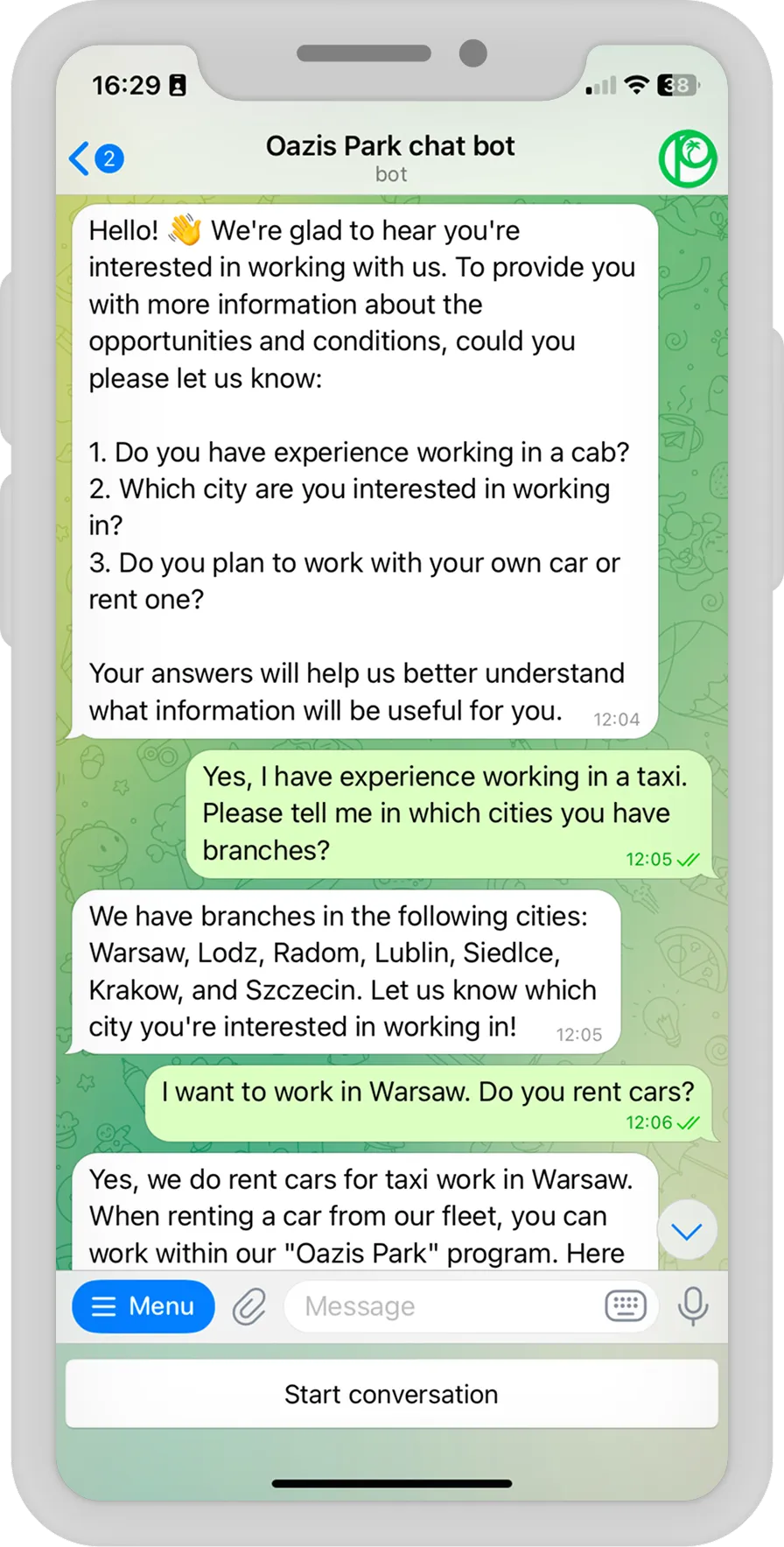
A workflow tool orchestrates; it does not become your product. We see the boundary weekly: automation starts as glue between systems, proves its value, and then the business asks for a customer-facing interface, payments, complex state — things no visual builder should carry. That is when workflows graduate into custom software. Our AI assistant inside CloudWheels’ auto-service CRM began where reminder-and-marketing automation ends and drove x4 growth in post-service upsells; the Oazis Park recruitment bot automates driver hiring 24/7 with human handoff a workflow canvas cannot express; and RyzhykFitClub turned a coach’s subscription funnel into a full Telegram platform. Choosing the right workflow tool today includes knowing which parts of your process will eventually outgrow it.
And if you are still one step earlier — deciding whether workflow automation is the right first move at all, before any heavy ERP or CRM commitment — we made that argument separately in our article on starting business automation with n8n.
How to choose: five questions
- Who maintains it? Nobody technical — Zapier or Make. A developer or a technical partner available — n8n moves to the top of the list.
- Where is your data allowed to go? If it must stay on your infrastructure, n8n is the only answer here. If a SaaS vendor is acceptable, all three qualify.
- How many runs a month, honestly? Estimate a year out, then price it in tasks, credits, and executions. Under ~1,000 runs the difference is noise; past ~10,000 the per-execution model usually wins outright.
- How long are your workflows? Two or three steps favor per-task pricing and simplicity. Ten steps with branching favor Make; ten steps with custom logic favor n8n.
- Will custom code appear? Assume yes — it almost always does. If any step involves a legacy system, a nonstandard API, or AI logic you want to control, pick the tool where code is a first-class citizen.
Migrating from Zapier or Make to n8n
The most common project shape we see in 2026 is not greenfield — it is a Zapier or Make bill that crossed a pain threshold. Migration is a rebuild, not an import, and it is smaller than it sounds:
- Inventory what actually runs. Every account we audit carries dead workflows. List what fires, how often, and what each run costs today.
- Migrate by value, not by count. The top handful of high-volume workflows usually hold most of the bill; move those first and let the long tail follow.
- Rebuild, don’t transliterate. Steps that existed to dodge platform limits — chained scenarios, external code calls — often collapse into one n8n workflow with a Code node.
- Run both in parallel for a week or two per workflow, compare outputs, then switch the trigger. No big-bang cutover.
- Decide the hosting model up front. n8n Cloud to stay maintenance-free, self-hosted for control and the lowest cost at scale.
Frequently asked questions
Is n8n really free?
The self-hosted Community Edition is free with no execution limits; your real costs are a small server and someone’s time to maintain the instance. The license is fair-code — free for running your own business’s automation, restricted only if you resell n8n itself as a service. n8n Cloud, with hosting handled for you, starts at €20/month.
Which tool is cheapest at high volume?
Almost always n8n, and the gap grows with workflow length: the ten-step example above lands on a €50/month plan there and several tiers higher elsewhere, while self-hosting drops the software cost to zero. Below about a thousand short runs a month, though, price should not drive the decision at all.
Can I self-host Make or Zapier?
No. Both are SaaS-only, and your data transits their clouds on every run. n8n is the only tool of the three that runs on your own server — which is why regulated and privacy-sensitive projects usually shortlist it alone.
Which is best for AI automation?
All three ship AI features in 2026. Zapier is the fastest to switch on; Make covers the major model providers with modules and agent features. n8n offers the most control: native agent and LangChain-based nodes, your own API keys, any model — including self-hosted ones, so prompts and data never leave your infrastructure. For AI workflows that touch customer data, that control is usually the deciding factor.
Do I need a developer to use n8n?
For n8n Cloud and simple workflows — no, a technical-minded operations person manages fine. For self-hosting, custom nodes, or anything customer-facing — yes. In our practice a basic integration ships in one to seven days, so buying that expertise is a small, bounded cost rather than an ongoing dependency.
How long does a migration to n8n take?
Scoped by workflow, not by calendar quarters: a typical high-value workflow rebuilds and verifies in days, and a department’s automation moves in a few weeks. The audit usually pays for the project by itself — retiring dead workflows and collapsing workaround steps often cuts the run count before any plan is even purchased.
Where to go from here
We have shipped software this way since 2017, across 8 countries — and most clients whose processes we automate come back with the next one. If the math above points at n8n, our n8n development squad designs, builds, and maintains it, custom code included; if you are still mapping which processes to automate first, start with business process automation. Discovery is a single call and a short written brief — and if Zapier or Make is genuinely the better fit for your case, that is exactly what we will tell you.