Fifteen n8n workflows — lead routing, CRM sync, AI email handling, reporting, invoicing, alerts — each save a mid-size team between half an hour and four hours a week. Summed, the catalog totals 18–36 hours weekly; the “20+” in the title sits below the midpoint of that arithmetic.
This is the catalog we work from when a client asks what automation would actually change about their week. Every entry is a workflow shape we build in production — that is the day job of our n8n development squad, and the wider territory is mapped on our business process automation page. Because “saves 20 hours” deserves arithmetic rather than a citation, the math comes first.
First, the arithmetic behind the 20 hours
None of the figures below are measurements, and none are sourced statistics — nobody has measured your company yet, including us. They are planning assumptions, the kind we price during a process audit: a team handling a hundred inbound inquiries a week typically spends two to four minutes on each before a reply exists, so manual routing costs somebody two to four hours of their week. Every entry carries an assumption of that shape, priced for a composite company we meet constantly: 20–50 people, one CRM, several hundred customer emails a week, a weekly management report, and 30–60 invoices a month.
Read the totals with the same honesty. All fifteen ranges sum to 18–36 hours per week — at the conservative floors the catalog lands just under twenty, and at the midpoints around twenty-seven. Nine of the larger workflows running at mid-range clear the twenty in the title on their own; no company should ship all fifteen at once. If your volumes are half of our composite’s, halve the numbers — the ranking of the workflows survives even when the totals shrink.
| # | Workflow | Typical time saved | Complexity |
|---|---|---|---|
| 1 | Lead routing & enrichment | 2–4 h/week | Moderate |
| 2 | Two-way CRM sync | 1.5–3 h/week | Moderate |
| 3 | Telegram alerts for key events | 0.5–1 h/week | Simple |
| 4 | Scheduled report aggregation | 2–3 h/week | Simple |
| 5 | AI classification of inbound mail | 1.5–3 h/week | Moderate |
| 6 | AI-drafted replies | 2–4 h/week | Advanced |
| 7 | Document data extraction | 1.5–3 h/week | Advanced |
| 8 | Customer segmentation refresh | 0.5–1.5 h/week | Moderate |
| 9 | Invoice generation & chasing | 1–2 h/week | Moderate |
| 10 | Client onboarding sequences | 1–2 h/week | Moderate |
| 11 | Review requests | 0.5–1 h/week | Simple |
| 12 | Inventory & threshold alerts | 0.5–1.5 h/week | Simple |
| 13 | Meeting-notes distribution | 1–2 h/week | Moderate |
| 14 | Support-ticket triage | 2–4 h/week | Advanced |
| 15 | Backups & exports | 0.5–1 h/week | Simple |
| Total, full catalog | 18–36 h/week (midpoint ≈ 27) |
“Typical time saved” means labor returned to the team under the stated assumptions — not a promise, and not headcount. “Advanced” means the workflow involves custom code, AI guardrails, or both.
The 15 workflows
- Lead routing and enrichment. An inquiry arrives — website form, ad campaign, marketplace message — and a human copies it into the CRM, looks up the company, decides whose deal it is, and only then answers. At a hundred inquiries a week and two to four minutes each, that is 2–4 hours before counting what slow replies cost you in lost deals. The workflow captures the inquiry, enriches it from open sources, creates the record, assigns an owner by rule — source, region, deal size — and alerts that owner within a minute.
- Two-way CRM sync. The CRM says one thing; the billing tool, the mailing list, and the ops spreadsheet each say another. Reconciling them is the classic invisible chore: five people spending fifteen minutes a day correcting and re-entering records is 1.5–3 hours a week gone before any real work starts. A sync workflow keeps the systems agreeing continuously — field mappings, deduplication, a rule for which source wins a conflict — so “which number is true” stops being a weekly debate.
- Telegram alerts for events that matter. Not another notification firehose — the opposite. Pick the handful of events someone currently discovers by polling a dashboard: payment received, payment failed, order over a threshold, workflow error, big-account signup. Push exactly those into one Telegram channel. The direct saving is modest — half an hour to an hour of scattered checking across the team — but reaction speed is the real product, and Telegram is where many of our clients’ operations already live.
- Scheduled report aggregation. Somewhere in your company, a person opens four tools every Monday and pastes numbers into a spreadsheet for management. If that ritual takes two to three hours — normal for a weekly report drawing on ad platforms, CRM, and payments — this workflow pays for itself within a month: query each source on schedule, merge, and deliver the finished report to email or a channel before anyone has logged in.
- AI classification of inbound mail. A shared inbox mixing orders, complaints, supplier invoices, partnership offers, and spam costs about thirty seconds of human reading per message before anything useful happens — at three hundred messages a week, 1.5–3 hours of pure sorting. An AI step reads each message, labels the intent, and routes it: to a mailbox, into a CRM pipeline, or straight into workflow 14. The model only sorts; anything it scores as low-confidence goes to a person, which keeps the failure mode boring.
- AI-drafted replies. One notch further: for requests that repeat — pricing questions, availability, standard terms — the workflow composes a draft answer from your own materials and a person approves and sends. Drafting is the expensive half: if fifty to eighty such replies a week each take three to five minutes to write but one to approve, the recovered range is 2–4 hours. We keep the send button human on anything customer-facing until months of good drafts have earned more autonomy.
- Document data extraction. Supplier invoices, signed forms, delivery notes, CVs — PDFs whose contents someone retypes into a system. Two minutes per document across fifty to a hundred documents a week is 1.5–3 hours of typing that a model with a fixed schema handles more accurately than a bored human. The workflow extracts the fields, validates them — do the totals add up, is the tax ID plausible — writes them to the target system, and flags exceptions for review.
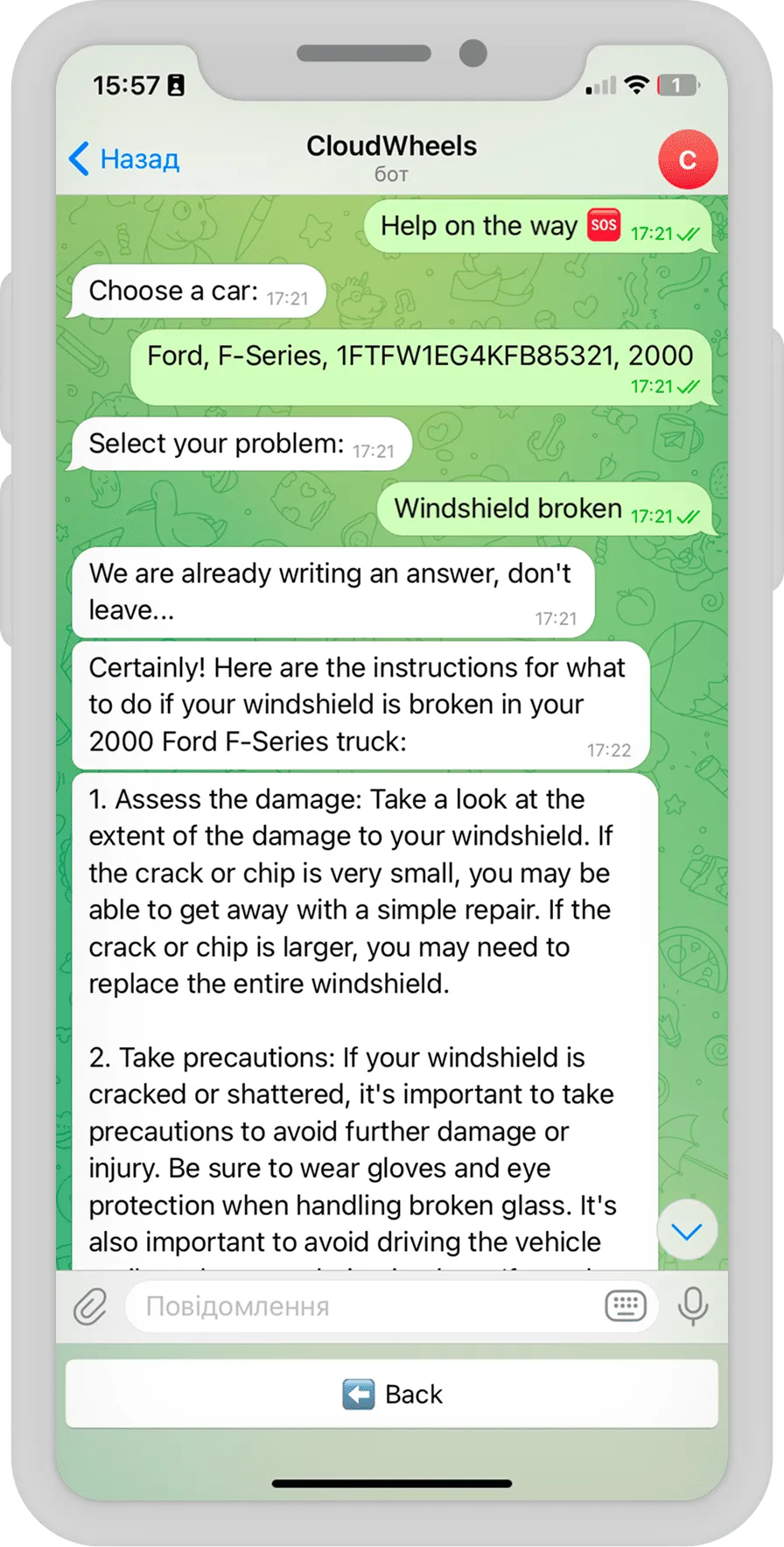
- Customer segmentation refresh. Segments built by export-and-filter go stale the day after they are made. A scheduled workflow recomputes them from purchase history and activity, then pushes the audiences to your mail tool. The direct saving is small — half an hour to ninety minutes — but fresh segments are what make the next step possible: CloudWheels, an auto service, sends AI-written marketing emails to freshly computed customer segments, one ingredient in its x4 lift in post-service sales.
- Invoice generation and chasing. Issue the invoice when its trigger fires — deal won, period ended, delivery confirmed — send it, and remind politely on overdue with escalation past a limit. For a company issuing 30–60 invoices a month, that is an hour or two of clerical work per week, plus the chasing nobody enjoys. There is enough depth in this one topic — compliance, the payable side, AI on incoming documents — that it deserves its own article; watch our blog for it.
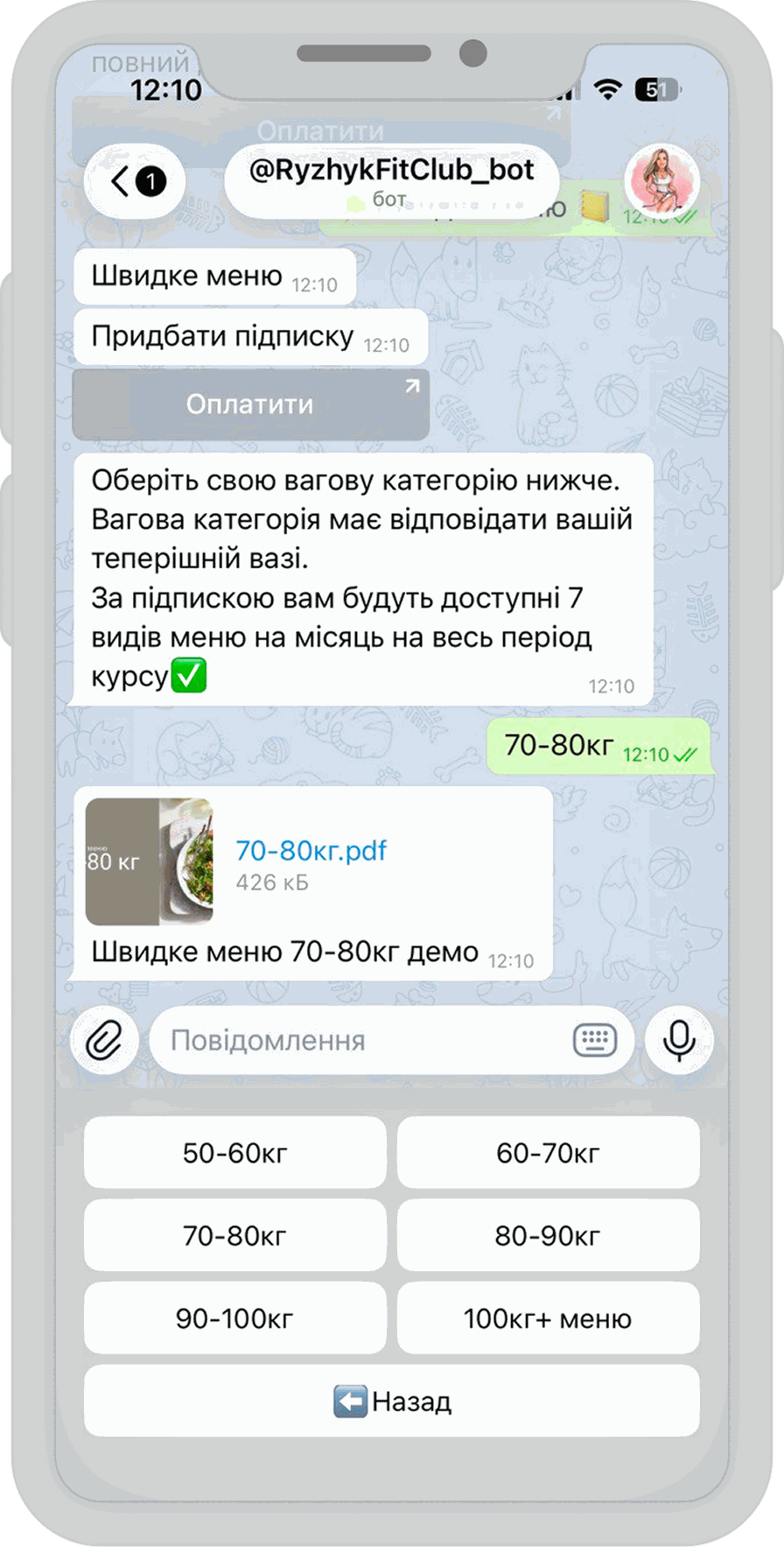
- Client onboarding sequences. Every new client triggers the same scatter of steps: contract, accesses, welcome email, kickoff scheduling, internal tasks. Scripted as a workflow, an hour or two of weekly coordination comes back — and no step gets skipped during a busy month. The pattern scales all the way up to being the product: RyzhykFitClub’s Telegram platform carries each new member from trial signup through to a paid plan, payments included.
- Review requests. The best moment to ask for a review is a few days after the value landed — which is precisely when everyone forgets. Trigger on completion, wait a set delay, send a personal-sounding request with the link, log the outcome. Half an hour to an hour a week is the honest accounting; the steady review pipeline it builds is worth more than the minutes.
- Inventory and threshold alerts. Workflow 3, generalized from events to numbers: stock below reorder point, ad spend pacing off target, server disk filling, subscription seats exhausted. Anything a person currently notices by watching a number cross a line, a workflow can watch continuously. Modest weekly minutes on paper — and now and then it prevents the expensive kind of Tuesday.
- Meeting-notes distribution. The meeting happened, the transcript exists, and nobody will ever read it. A workflow hands the transcript to a model, pulls out decisions and action items, posts the summary to the right channel, and creates the tasks. If someone on your team spends an hour or two a week writing follow-ups — or worse, if no one does — this is the cheapest AI workflow on the list to pilot.
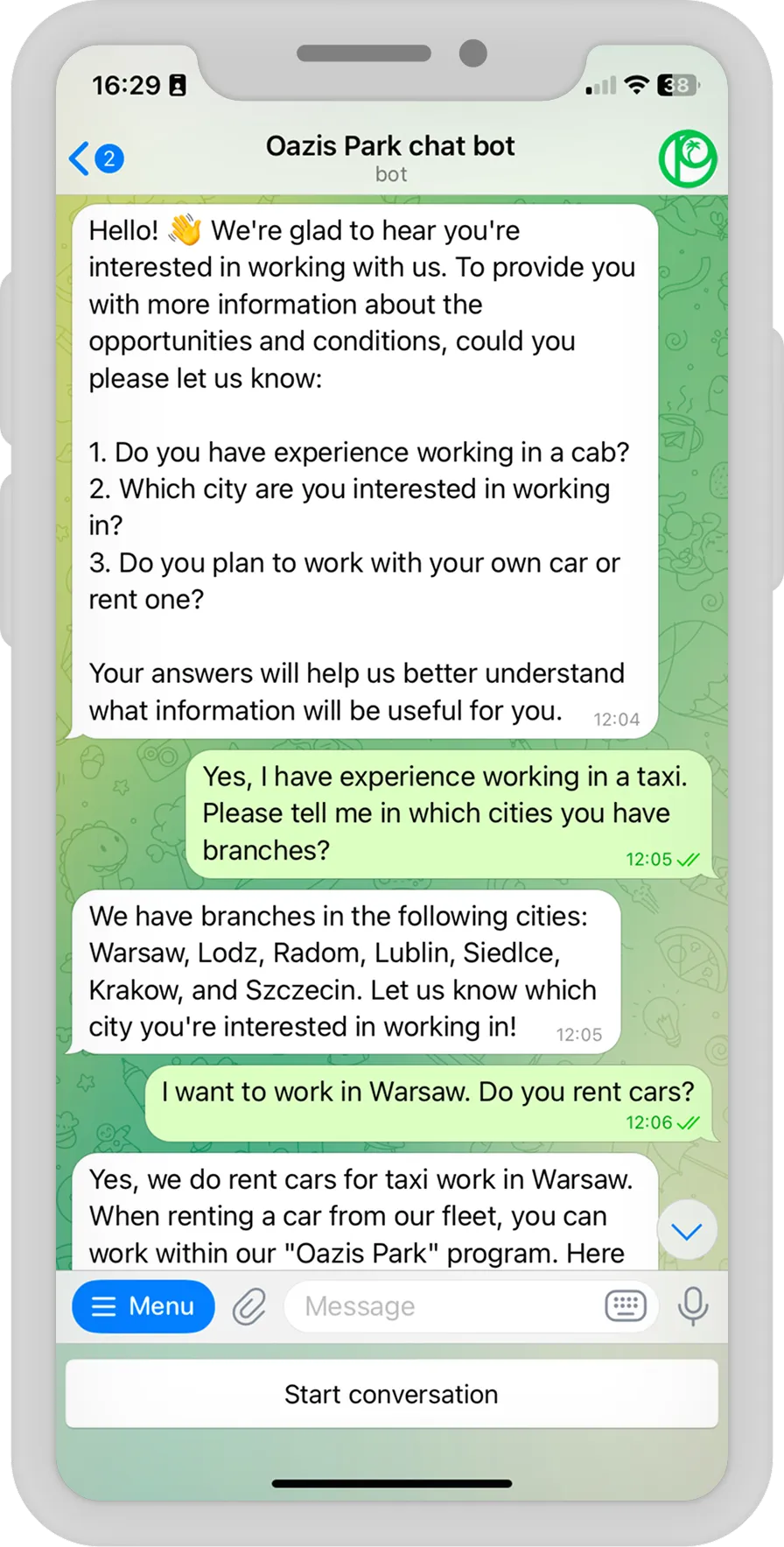
- Support-ticket triage. Classify each incoming ticket, answer the FAQ tier automatically from your own knowledge base, and escalate everything ambiguous to a person with the full context attached. Two to four hours a week at moderate volume, and the escalation rule carries the weight: our recruitment assistant for Oazis Park answers driver candidates’ questions 24/7 from a maintained knowledge base and pings a manager the moment a question falls outside it.
- Backups and exports. The least glamorous entry earns its keep the day a SaaS tool locks your account, breaks, or retires an API. Scheduled exports of CRM records, order history, and content into storage you control: half an hour to an hour a week if somebody currently does this by hand, and quiet insurance if nobody does.
Where to start — and what to skip
Before building anything, measure one ordinary week: where do inquiries, documents, and numbers actually get touched by hand, and how often? Then pick a workflow with visible volume, a single owner, and a small blast radius if it misbehaves — in our audits that is usually lead routing or the weekly report. Skip, for now, any process that changes shape every month, anything that runs monthly and takes ten minutes, and anything no one owns: automating an unowned process just produces unowned failures.
Two neighbouring questions have their own answers on this site. If you are one level up — still deciding whether automation belongs on the roadmap at all — we argue the case for n8n ahead of a full-scale ERP or CRM overhaul separately. If the question is which platform should run these workflows, our n8n vs Make vs Zapier comparison prices the three candidly — every workflow above can also be built in Make or Zapier, and volume, code needs, and data control decide which one you will not regret.
Frequently asked questions
Are the time-saved figures measured results?
No — and be suspicious of any vendor list that claims its figures are. They are planning assumptions with the arithmetic shown per workflow, so you can substitute your own volumes and get your own total. The only measured outcomes on this page come from published cases, and they are cited as such.
Which workflow should we build first?
The one where the volume is undeniable and the failure mode is cheap. For most companies that is lead routing (revenue upside, instantly visible) or report aggregation (zero customer risk, instantly felt). First builds that touch customers — AI replies, ticket triage — are better as a second step, once trust in the plumbing exists.
How many of the fifteen does a typical company end up running?
Five to nine within the first year — which is exactly why the honest total is a range. At the midpoints of the stated assumptions, nine workflows are enough to clear twenty hours a week; a smaller company running five well-chosen ones might recover ten and still consider it the best project of the year.
Do the AI workflows require training our own model?
No. Items 5, 6, 7, 13, and 14 all run on commercial model APIs with your prompts and your data — no training, no data-science hire. The craft is in the guardrails: confidence thresholds, validation of extracted fields, and a human approval step wherever the output faces a customer.
Can our own team build these without developers?
The rows marked Simple — alerts, scheduled reports, review requests, backups — yes, someone comfortable with settings screens and spreadsheets can own them. The Advanced rows fail differently: extraction needs schemas and validation, triage needs escalation logic, and production workflows need error handling that does not fall over quietly. That is where an engineer — yours or ours — stops being optional.
Turn the list into a build order
Momentum Squads has built software since 2017, and three out of four clients bring us their next project — the second workflow is always easier to justify than the first. If you want this catalog priced against your actual volumes, our n8n development squad starts with a short audit that swaps our composite assumptions for your real ones and returns a build order — and our business process automation practice covers everything beyond the workflow canvas. If the audit says your number is twelve hours rather than twenty, twelve is the number you will hear — with the build order to match.